20 October 2026
Getting Sales Out of the Owner's Head: What to Build First, and in What Order
Sales & Marketing
Before hiring, MSPs should assess workload distribution, efficiency, and skills gaps. Often, better prioritisation, process improvements, or targeted training can relieve pressure without adding headcount.
Upskilling existing staff improves performance, morale, and retention. MSPs that invest in structured training paths reduce reliance on expensive senior hires and build stronger, more scalable teams.
Avoiding difficult conversations creates drag across the entire business. Clear expectations, regular feedback, and timely decisions — whether that means coaching or letting someone go — protect culture, productivity, and team morale.
Edited for readability from the episode audio — may contain minor errors.
Thanks for joining us. We're just, as usual, going to give it a couple of minutes to let everyone join. In the meantime, you can enjoy our elevator hold music. I'm mentally building a Hosted Network theme song in my head. I'll try and play it for next time, but the Hosted Network tingle. Yeah, why do I just think the Super Mario worked? Super Mario, dude, I love it. Do we get mushrooms if you collect enough coins? I asked Luke, with all his plantation behind it we'll get kicked off. Kicked off.
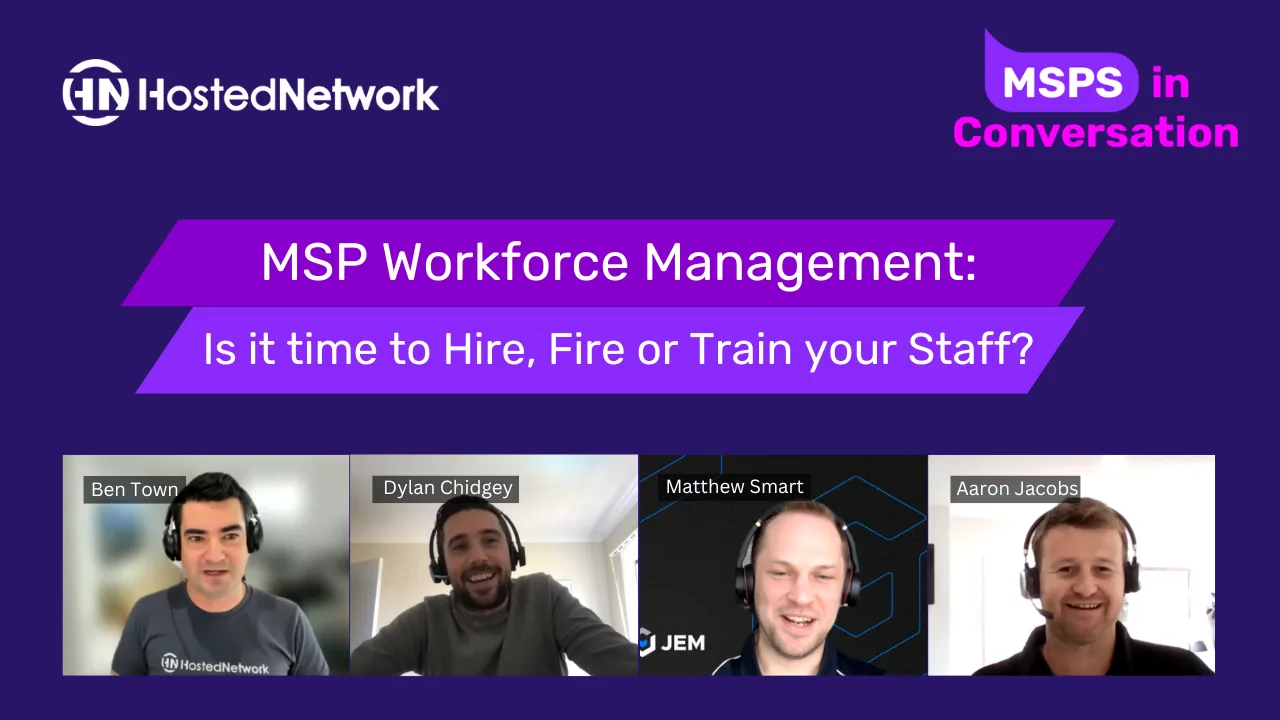
So thank you everyone for joining us. Today's MSPs in Conversation is on MSP workforce management, so we're going to be going over topics such as hiring, onboarding, staff retention, and then, worst case, what do you do if you actually have to let someone go.
So, quick introduction to our panelists. Oh no, sorry, I didn't look at the slide. You do get the UberEats voucher for lunch. If you haven't got this already, please reach out to us in the chat and our team are standing by to help you out there. This, as usual, is always recorded, so if you do have to drop off or you want to watch it again later, feel free. We will send out the recording in the next couple of days.
Introduction. I didn't look at the slides at all. I'm really not prepared today. So if you don't know who Hosted Network is, we are a wholesale cloud and telco provider for MSPs. I won't go through all of our services there; you probably already know what they are. Today is another sales pitch, and it is about the panelists. There we go, finally got the slide right.
So I'll start off with Dylan. Can you just give us a quick introduction to yourself? Hi everyone. Yeah, so Dylan from White Bay, principal consultant. I spent 10 years in telco as an engineering manager and then got into recruitment about four and a half years ago to offer a slight point of difference, in that I know the roles that I'm hiring for. And as an agency we've continued to build that out, where we've got ex-industry people that we've turned over and turned to the dark side to help recruit in technology and digital.
Fantastic. And Matt, operations manager at JEM. Yeah, just as it sounds. Day to day, I guess, a whole lot of things, but a lot of HR kind of topics: interviews, hiring people, letting people go that aren't working out. I think actually in a previous one of these webinars James Borg referred to me as the firing assassin. I think we're going to have to get you a little sign up for that, you know, one of these little things.
And Aaron, you've joined us for a few of these, so people probably already know you by now, but give us a rundown of yourself and Rodin. I sit in the corner of Hosted Network all day long, I don't do anything, I'm part of the furniture, they just drag me on these things now. I'm general manager of Rodin and I've been with Rodin for 20 years now, and we manage about four thousand endpoints, 26 full-time staff, based out of Wollongong.
Cool. All right, thank you. So, as always, we don't have very many slides. It's always about the panelists and the conversation. So I will turn my screen off. Stop share. There we go.
So, to kick off, we're going to start off with the hiring topic, right at the beginning of the journey. So Dylan, first one's for you. What are some tips that you can give our MSPs in the audience to help with recruitment, aka if they're going to deal with a recruiter, how do they get it for free?
Yeah, so, we recruiters are obviously a necessary evil in a lot of people's eyes. Look, a lot of the common mistakes I see when we're brought in by a client, especially MSPs, is probably not being the most effective at writing job ads. Sometimes job descriptions are an extremely long wish list, so just being a bit more clear and concise, putting yourself in the shoes of the ideal candidate and understanding what they might be looking for. And then just making sure your advertising strategy is appropriate. Depending on the size of your business, you might want to be a bit more active in reaching out to people that you like the look of, building a relationship on the candidate side, and sometimes even just building a database. So spending the money on a little applicant tracking system, and every time you advertise you'll build your own database of candidates up.
And yeah, the market at the moment, it's pretty relentless. It's very much a candidate-driven market, so there's far more jobs, so they're very picky and choosy. So I think just having a decent process and moving quickly, knowing exactly what you want, not delaying feedback, not delaying interview times, things like that, it's going to put you in a better position to get the person you want.
So you see the market at the moment is quite saturated in terms of people hiring? Correct, yeah, the most candidates. So Azure DevOps or Azure cloud engineers for instance, we're seeing virtually no ad response coming in, so it's all active search for that type of role. We're seeing salaries up about 30k, so probably 12 to 18 months ago they're about 120, 130, now they're all up around 150. Multiple offers coming in. So any new clients we work with, we say look, you've got to know what you're looking for and you've got to move quick, because chances are you might lose that candidate that you like the look of.
Yeah, okay. And Matt, I mean, or Aaron, who wants to take it? What are you guys saying in your recruitment, that it's a candidate market? Yeah, absolutely it's a candidate market. And as Dylan said, we're seeing a lot of times you get through that process that you have and you're putting an offer in front of someone and they've either got two or three, maybe more sometimes, offers on the table. Or they're like, oh, I'll come back to you because I'm waiting to hear from someone else to see what they offer, and obviously balance up, is the package better here? Not necessarily the work or who I'm working for, but the package.
Also seeing a lot of companies that, someone does go, oh yeah, I'm going to come on board, I'm going to sign the contract, they put their resignation in, and then the company they're leaving come in and swoop in and go, oh, we'll offer you 10k, 20k more, something like that, sweeten the deal. And we're seeing some people kind of go, well, it's too little too late, but we're also seeing some people that kind of go, oh, more money, yeah, okay. So I guess it's what's motivating people to move. Are they actually unhappy with what they're doing, or are they just after a higher salary or something, a better package?
And Aaron, are you seeing the same thing at Rodin? Yeah, absolutely, and not just in technical roles, sales roles, it's across the board from what we're seeing. And yeah, we've had some accept roles and then pull out after. We've had some being very picky, very very choosy, picking numbers that I'll be honest, I don't think the role's worth the number that they're throwing out there. And even I had one the other week, gave me a figure, didn't budge despite telling me he knows he's on an inflated figure where he is and he was unhappy, but then told me I need to pay more. And then picked all the way down to the model of laptop he was going to be given, and I mean specific, like a SKU, and I was like, what the? So yeah, very very much, that didn't happen. I kind of got too much of a "me me" vibe out of that and not a team player vibe, so I actually pulled the pin on that. But yeah, 100%, totally agree with everything you've been saying.
Interesting. We talk a lot about culture and whatnot over the last few of these MSPs in Conversation, and how important that is, you know, to use the saying, the right person on the bus but also in the right seat. Are you, I guess, for Aaron, staying with you, are you seeing that you're sacrificing the cultural fit to get talent? No, we won't, we'll stick with it. So while we need staff at the moment, we've done it before and it always ends badly. So we always end up with a bad seed just causing too many other problems. So we're willing just to dig in and, you know, everyone chipping more, and while we need those bodies, it's a very interesting market right now. So yeah, no, we won't sacrifice the culture, because you definitely pay for it later on down the track.
Yeah, that's a good point. And I wonder, Matt, from your side, what do you think the causes are? And Dylan, feel free to tell me as well. What do you think some of the causes are for the high demand? Is it COVID? Are we just in the lucky industry? Yeah, look, I obviously don't have the answer, but I think a lot of it comes down to the demand on IT at the moment. There's, you know, the better part of New South Wales now in lockdown, and have been for a while, four years it feels like. And there is demand on IT, either upgrading, replacing. Certainly at the start of the pandemic back in 2020 there was a huge demand on IT to get people to a point where they could work remotely. We had a lot of customers that still had desktop machines because they didn't want their staff to have laptops, didn't want them taking them off site and things like that, and then all of a sudden that became the problem. So upgrading firewalls to give them more VPN capabilities, replacing desktops, and there was a shortage of that. And I think the demand to keep everything running, because obviously if IT stops now there are hundreds of thousands of people working from home remotely, that stops their business from operating. So I think there's this high demand there, and with that high demand, you know, the basic economics comes in. Well, I can demand more money because there's a short supply of really good people. And like Aaron said, we're not going to hire just anyone just to put a bum in a seat. We want the right people, and we will continue to recruit to find the right people.
Yeah, just to take your comments further, Matt, more on the market side of things, it is supply and demand. So historically we've had the large Indian consultancies like Tata that would bring talent onshore. A lot of them ran visa programs where they'd employ them offshore and bring them over, and that with COVID dried up completely. So what we've seen is, traditionally that flow of talent, we've seen people going back to their home countries as well, increased demand from local sort of IT requirements, and then also those huge onshoring drives by the likes of Telstra, Westpac. So really it's just a mess of a few factors that have really dried up the market and made it candidate-driven rather than job-driven. So a perfect storm.
And I think as well, I mean that's definitely with the technical skills, the offshoring and things like that, but also on the other side, and I don't know if this is still a thing now but it definitely was, because of COVID people were unsure, they didn't want to change jobs because of uncertainty. It's all about having a stable job. So I would definitely say that more in 2020 than it is in 2021, because I think everyone's realized the world doesn't end with COVID. But yeah, 100%, job stability and security and just not wanting to take a new job because, well, I don't really know that company, are they going to be around much longer, and that kind of thing.
Okay, so it's a candidate-driven job market at the moment, so how do we look at getting fresh blood in that is cost-effective, and train up? Do you guys typically hire, say, level one? So internally at Hosted Network, I've always loved to try and do like a level one training program. We've never been able to consistently do it. But what have you guys done? Do you hire straight to level two or level three, or do you look to get fresh grads out of, say, TAFE or whatnot, and train up? That Matt, yeah, jump in there.
So we developed, and to some degree still stole part of an idea from, a fellow MSP who was telling us about this idea. We took it and probably made it a little bit our own, and created what we call the rapid responder position. And that's basically that graduate out of TAFE, or finished high school wanting to get into TAFE and working through that, but also has a keen interest, you know, generally is the IT person at home, fixes mum and dad's and family members' devices, friends, things like that. And we've found that quite successful. So they come in green, we'll train them up. They've got an IT understanding, they've generally configured their own home routers or wireless, or have a little lab going where they're playing around, they've built their gaming PC. Built their gaming PC, all of those kind of things.
And what we do is, it's basically a 12-month journey in that role, and for the first six months we're very clear it's very admin intensive to start off with, with a little bit of tech, and then by the six-month point we try and flip that so it's more tech focused, with the admin that's necessary for your time entries and all of that kind of process. We then get them to that point, and at the 12-month point there's, I guess, this requirement to complete two courses, something relevant to our business and something that interests them. Once they do that, we move into level one and then kind of move from there.
So we try, as a business, to kind of focus on bringing in the juniors and training them up, give them our bad habits rather than take someone else's. But there's always the need at times that we're going to have to hire in a level two, because we're not at a point where those that are moving through the process are there and there's the demand there, maybe because someone's moved on, maybe because the workload has increased because we've brought on more customers, and there's just that demand that needs to be filled in the now time rather than progressively getting people up there. But we're seeing quite a lot of success in that program that we're running. We've got a lot of guys that have moved from that rapid responder position that are now in level one, and we've got a number of them that are in level two.
So we've got a question here. For yourself, what sort of tech work do you get them doing, these rapid responder roles? Rapid responders, you're probably looking at the basic kind of thing, so triage. Yeah, absolutely, triage, password resets, name updates in AD, Office 365, things like that. I have to find a new ISP, I think, but we get to this point — I'm not sure where I've lost you, so I might repeat part of it that you may have heard. We get to a point where they're doing desktop support and they're slowly working through that, so it's kind of a gradual build on the basic tech to get them up to a point where they're probably at 12 months starting to work on what a level one would initially work on. Okay.
And that's worked quite well. We try and also set a bit of a limit and say, if it can be done in under 10 minutes then start working on it, and if it takes more than 10 minutes then obviously reach out to a level one, depending on how busy we are, how busy the level one team is. If they're not really busy then they may sit together and work with them on it and give that one-on-one kind of training. If it's flat chat and everyone's running around like headless chickens, then obviously they'll just escalate the job and move on, but kind of revert back to it a bit later and go, well, this is how I fixed it, to give him that knowledge. Okay.
Aaron, moving slightly on but somewhat on the same topic, for technical roles, do you care about university degrees? Nope, because I don't have one. Cool, okay, and that's kind of what I was looking for, okay. Sorry, give me — I'll be honest, I believe heavily in in-role training and certification, so real-world experience, I'm really really big on that, practical hands-on and vendor certificates and things like that, understanding the product sets and experience. I don't know, whenever coming out of high school I had a lot of friends that went to uni and then I got straight into it, and then after those four years it was night and day, right? And I mean, I was already a level ahead anyway, but it's just the reality, they learn a lot of theory. University degrees, don't get me wrong, I'm not totally against university, but just for what we do in terms of tech, no, I don't necessarily feel three to four years of university is going to give you what in-job plus vendor certificate training and other types of training like that will give you. So, you know, absolutely don't look for it at all.
And Dylan, do you see that in the market space, when candidates are applying for roles, do they get a foot up having a university degree, or do they actually get penalized, for a level one, level two sort of general role, not necessarily an Azure DevOps engineer, but run-of-the-mill MSP support? Yeah, look, for a grad it does help. There are a lot of large companies that will basically recruit straight out of uni and run grad programs, and some of them use that as a baseline for setting the knowledge. So software developers are quite common in that. I do see it as a flip of the coin though. There have been companies I've worked with that, kind of the old-school white-collar organizations, that you must have a bachelor's degree or higher, and they've missed out on some, like, absolute killer candidates that are probably CCIE three times or whatever it may be, and that's just a flat no because there was no uni degree. So I think being open-minded and flexible with it is probably the best approach.
Yeah. And Matt, what about you? Do you care if they've got a university degree? Very very similar to Aaron's response. The uni part's not important, I don't think, in the type of business that an MSP is in, that it really is adding any value. The value comes from those vendor certifications and things like Cisco CCNA and things like that, so that's where we kind of focus, what certifications have you got for a real world. The uni degree is obviously a lot of theory, and we've got a couple of guys that have uni degrees, but even talking to them now that they've been with us for a while, it's kind of like, do you find that that actually helped you in any way? It certainly wasn't a requirement from our side, so it didn't put you in front of anyone else, but do you think, in what you're doing, that it's actually helped you? And most of the time they've actually come back and said that the vendor training has given them more hands-on and real-world experience than what the uni degree would offer.
Right. Yeah, I guess that kind of shows that from a candidate's perspective it can certainly help them, but maybe for MSPs it's not as relevant. I mean, internally at Hosted Network we certainly don't look for university degrees, and in some roles I actually see it as a negative, in fact. Other roles though I see it as a positive. Like, if it's going into more of a management or a marketing role, those sort of things, university degrees are a bit more, you know. But I'm personally a big fan of hands-on.
But you mentioned certifications. Everyone's got a CCNA, don't they? Does it — is it important? Possibly not just CCNA, yeah. Well, there you go, okay. And I guess that's my question — are they important? If you're looking, for the audience, if you're looking at the certifications, what do you look for? Which ones do you care about and which ones do you disregard? Aaron. I don't care if they've got — well, because again it depends on the role, right? Depends on the role, depends on the kind of things you focus on. Focus on level one, level two sort of. Yeah, level one, level two, help desk, right? So I don't necessarily care if they have, I don't know, what's the VMware whatever the thingy bobby is, you know what I mean, whatever the latest VMware certs are, or the Veeam thing. That's not, especially level one, level two support roles, for me it's more about — and especially nowadays, and I'm really driving this internally as well — is I don't care about the physical stuff as much anymore. Nowadays it's about the Microsoft 365 stuff. So I want to say the 365 fundamentals, the MS-100, 700s, maybe the numbers are wrong, but all those things, so they understand identity management and security, obviously understanding the risks there, because it's a different world now. So that's what I'm looking for now, is really about troubleshooting. Troubleshooting skills are good ones, so the, I think, is it the A+, they have those types of certifications as well. Yeah, yep, those ones. So if I see those I'll go, okay great, that's actually pretty good.
You mentioned CCNA, and I think that was sort of like the standard first one everyone did for a long time. I actually don't know where that stands nowadays, what the CCNA is, but from the CCNA it was the things like the OSI, you know, your network layers and stuff like that, which I'm pretty sure is all in the first few chapters, and then later on it all gets very Cisco specific. So again I'm looking for generic stuff, stuff that's relatable and transfers across any — if we're talking network, firewall, switch, I'm looking for that generic underlying knowledge of VLANs, troubleshooting skills, troubleshoot anything, anything that gives you good troubleshooting skills. Because that's probably one of the most fundamental skills you need in that type of role that you're talking about, that and being able to Google well. If there's only a certificate — and I really feel like there should be, right? Because I think if someone had the Google search cert I'd be like, you're in. I'm surprised we haven't seen candidates that just make it up, you know, it's like, skills, Internet Explorer, how's that a skill? Yeah, well, it is, but on a serious note, it is being able to research and logically filter through information, that's fundamental to troubleshooting, and it's a fundamental business skill, realistically. It shows a lot of potential if you can have a problem you have no idea about and actually get to a conclusion, then who cares? All right, I must say, uni probably does give you that knowledge of how to research, and that's probably one of the benefits of that, but I think everything else in relation to IT is all just theory.
Okay, so I guess, staying on topic with candidates, because I sort of want to move on from the hiring in a second, what are some of the red flags that you guys see, maybe two or three red flags that you just sort of go, move on, next candidate? You're going through, maybe through the recruiter, or you guys have got the CVs and you're looking at them and you're like, yeah, no, next. Matt. I mean, things I generally look at, keeping in mind I'm not overly technical, so someone else kind of looks at it from a technical perspective, but things that flag out for me — if they can't construct a sentence in their own resume, and they've had time to prepare that, then that raises flags. Big gaps. And I guess some candidates, you look at their resume and they look really good, you have the conversation and you realize that they don't actually know what they've got in their resume, that generally concerns me as well.
Someone's just posted here as well, they do like a screening test. We do the same thing, so try and get them to answer a bunch of questions. What we have found sometimes is the resume is really good, written really well, and then you read their responses in a technical test — and we've got like open comment sections for them to write comments — and the English doesn't match up. And it's one of those things, it might not seem so important, if they're technical they're really good, that might be one thing, but they've got to communicate with our customers. We've got a standard that we set, that we expect to be met, when they're communicating with our customers.
Okay, so some tricks we've used with a few clients on that front is having a few open-ended questions, so "describe a time you did a project in XYZ," which really pushes them to write a paragraph or two about a particular technology or skill you're looking for, because you're really going to force them to actually describe what they've done, and also you'll flush out their written comms as well. So sometimes on that first-round screening or in reply, yeah, you can get a good gauge on it. We've done it with a few where that's on the cover sheet of the resume. It shows that they've put some effort into their application as well.
Do you guys — yes or no, very quick, yes or no — do you care about a cover letter? No. Aaron, Matt? Yeah, I don't, but it sometimes is beneficial, because sometimes you see that that cover letter's literally just gone to every job, and like, that's it, they can't construct a sentence. However, if they do say something particularly about Rodin, as in they haven't just insert company name here, something, I guess it just shows a slight bit of effort. So yeah, I would say, I'm not ruling anyone out because they don't have one, but it's a nice touch.
I absolutely agree with Aaron, and I think sometimes you find like a resume is a lot of bullet points, you get the cover letter, it shows that construct and things like that. I think we've got it also, it has someone else's company name on there. But I think as well, the thing that you kind of take from that, I think there is a level where you kind of say, you know, a senior engineering kind of role should have something like that. I don't have that expectation of someone applying for a level one role or even a rapid responder role, that they're not experienced in that business kind of world, they're just going to send their resume as, you know, mum and dad have probably helped them with at some point. Yeah. And I think in a senior role it probably should be there. Again, not going to rule them out, but, you know, kind of a good point. Yeah. And it is a sales role as well — for a sales role, if they're going out and going to be proposing to customers and stuff like that, then you want them to pitch to you. Yeah, that's the thing, I'd expect it on a sales role more than I would, you know, technically.
And Dylan mentioned about asking them what they did, you know, you can do that on the first screening, that's fine. I prefer to do that face to face, just my take on it, because I like just to have an open and honest conversation. If someone on their resume says they did this, then I'll ask them about it, because chances are we've all got some kind of experience in that, and I'll put them on the spot, and if they can't string something that makes sense about that project to me face-to-face, yet it was impactful enough in their life to put it on their resume, massive red flag. Because, you know, there's a big difference between, oh, I put this in for 3,000 users and did this XYZ, to find out that they just outsourced it to an MSP. Yeah, "well-wrapped it up" would probably be a benefit in some of the ones I've had. Like, some of these people come from internal organizations, right, where they've run the internal IT department or they were the singular person, and so when they say "I did all this," it actually means they hired Rodin to do it, and that is just useless. Why'd you put that on your resume? So, yeah. Okay, so common stuff we like, coming out of like, say, a Telstra, with those huge organizations where there might be seven of them working on one project and the tech lead did all the heavy lifting, and then this person added the AD accounts or something simple like that. Yeah, "but I was integral in developing" — yeah, "user-wide network." Well, they're not wrong, right, "I created the user account, so this is an integral piece," but let's be realistic.
All right, so we've got a question here, which tools do you guys use in your recruitment process, are there any recommendations? As an example, we use a tool called TestGorilla, that sort of does the initial basic screening and things like that. What about you, if you guys use any? We, for our technical roles, have just a survey in SurveyMonkey that we use. We've looked recently at another product that does psychometric testing, and in that, it's not just the standard psychometric, we can also set criteria in relation to our culture and things like that, to try and pick up how people fit in with that. Yet to kind of use it — I did put a bit of a hold on hiring roles that would use that during COVID, just while we saw how the timeline played out, but that's something we've added in. And then, obviously, from a recruitment side, we either use a recruiter depending on the role. Roles like the rapid responder, we use Seek and things like that, which, you know, Seek in itself has come a long way since it was two, three years ago.
Aaron, any specific tools that you guys use? And then I might get Dylan to sort of tell us what he sees from a best-practice point of view. Yeah, no, I'm actually all ears, I'd like to learn something. We're just using Seek, and then just filtering and basically doing it from there. We do some other tests later on, like when you're down to the final candidate — you know, we mentioned in the US the Kolbe test and things like that, to work out — yeah, that's a good one, that's really to split candidates or understand how they think, but it's not that initial screening stuff at all. So, yeah, no, we're still doing it the hard way.
And we've had mixed success. Between technical roles, we generally use Seek; sales roles, we've had a bit of success on LinkedIn. I say success — they're not with us anymore, so maybe it wasn't success. But we've used a recruiter actually for the first time about four or five months ago, and that actually was a pleasant experience, much better than we expected.
All right, so Dylan, from a recruiting perspective, you obviously handle this a lot more than the ad-hoc roles that we're all facing. From a process, a toolset point of view, what do you recommend? Yeah, look, Seek is a monopoly in Australia, so they have just absolutely sewn up the advertising and candidate market. So when you buy an ad, you should get some talent search credits, so you'll be able to actually look actively for candidates, much the same way. I'd pair that with LinkedIn — not every candidate's presenting themselves as an active candidate, so sometimes just spending a bit of time going, I'm looking for a sysadmin with these skills. Even the free LinkedIn has a lot of these kinds of filters, you can search by area and things like that. You, as a manager or a director of a company — most candidates are going to respond to that, if you're reaching out to them going, hey, love to have a chat, we've got a vacancy, keep it light, and if they're interested and they fit, then you can kind of have a bit of a casual conversation and take it from there, which is essentially what a recruiter will do but at a much larger scale. We do have our own databases that we build up over time, we do use other tools such as Indeed and things like that, but really it's just that we're in the seat all day long grinding it out. It's a numbers game a lot of the time, and knowing what to look for.
Okay, so post the — like, let's say, I mean, back in the day I used to use Whirlpool. I don't think these days it's so much of a good thing, but I got some great techs from there. But, you know, Seek or whatever it might be, you're filtering these in the top of your funnel, you've got a big candidate pool of people to get through. Are there any tools — I mean, we used a tool called TestGorilla specifically for this, to help filter that process, especially because of COVID, right. So for us, people are, we're interviewing and you can't go and see them face to face, but obviously we've got Zoom and things. But are there any tricks or tips that you guys would use for that first round, especially given that we're — or maybe the second round — piece of that screening process, given that we're in the lockdown hell that we're in?
Byron, no, I wish, I wish I had a lot of candidates at the moment, if I'm honest. I'm not getting a lot. Like, the last three job ads I've put out, I've had single-digit responses, which is really disgustingly unusual, and Seek have this sort of big warning saying that people aren't applying at the moment, and they tell you that it's because of COVID and people aren't changing jobs. So yeah, that's still — do you have any, I guess, as a recruiter, if that's the case, any comments? Yeah, I mean, we're seeing the same. Like, we spend over 50 grand a year on Seek alone, so we're one of their favorite customers. And I feel like we do too. And yeah, we're equally seeing, across multiple job types — technical, non-technical, marketing — the same results. So it's very much that, and that's where you do need to get active and kind of flip it on its head, get on LinkedIn, it's the best tool, most people keep their profiles pretty updated there. And keep your first screening pretty quick and light, you probably don't need to get them on the phone, a 10-minute chat, you're going to get a bit of a vibe whether you think they'll fit, and from there you can kind of kick it down to formalities of getting a resume, booking a Teams interview or something like that, that can be a bit more in-depth.
Are you guys still looking for local hires, or with COVID and the lockdown are you starting to branch out and actually looking for people outside of where you would normally look, area-wise? A lot of clients have become open to work from home, and so there's a lot more flexibility, but there are still quite a few that are not opening that up. So, banks, government entities, things like that, they're still quite rigid, they want people in the office a few days a week. Some of the large enterprises are like, well, we've got this lease on this huge building in the CBD, you guys have got to come in and make use of that. So it's a bit of a mixed bag. I guess smaller organizations are much more flexible on that front, where you go, okay, well, you sit on a laptop, you need internet, make sure you've got a good workspace at home, and then we're open to wherever. Software devs, things like that, that's all fine as well.
Yeah, I mean, we've got a basically work-from-home policy. I mean, COVID hit, and we had our big office in Alexandria, we've closed it down. Everyone's — and that's going to be our policy moving forwards, to the point that I've actually told our team members, if they need to make life choices, buying a house further out or whatever it might be, then go for it, we won't hold that against them if we change our mind to, you know, open a big office again. But it's a little bit different for someone, let's say, working from home. Aaron, how do you feel about staff working from home permanently, and working further out — when I say work from home, like, in the regions and whatnot — would that suit an MSP? Yeah, it depends on the role. It definitely depends on the role. You've obviously got certain people that you need in geographical areas to be able to go on site when you do need to go on site and things like that. You know, six months ago I hired someone in Brisbane, so not an issue, full time in Brisbane, and that's not a problem. So, I think for our help desk, as in our front-facing help desk — not necessarily behind-the-scenes guys like the NOC or anything, but the front-facing help desk guys — I think they work well in person. But I only say that because I think they work better when they're at arm's reach from each other. But again, I have no issues with them not working there. The problem with those guys is, you set them up with four screens and big monitor arms and all this kind of kit, so to do like a "come in the office two or three days a week" thing, it's actually a bit inconvenient to do that when they've got all that gear. So, for that one, I don't know. For the sales guys, for architects and pre-sales and sort of my other team members, I don't care where they are, I'm measuring their output, as long as they work, that's fine.
All right. And Matt, I've got a question here, so I'm going to sort of throw it to you. At what point in JEM, or even in your recommendation, would you stop looking for an all-rounder, a generalist, and start focusing on specialists? That's an interesting question. I probably have very different answers to a lot of people. We still continue to look for the generalists. There are guys that have skills that would specialize them in certain things, but, being the industry that we are here at JEM, there is kind of that all-encompassing need to know a lot about a lot, or a little. You know, we've got complex networks, multiple things running on it, wireless, guest wireless, telephony, coffee machines — you know, you think about it, it's probably connected. So we actually get a lot of people that start working for us that are like, oh, it's so much different, because a lot of the MSPs have kind of moved cloud-based and things like that, so their interaction is very different. We still have a very high on-site presence, so, you know, in answering the working-from-home question, I guess it does work in certain areas like Aaron said, but obviously we've got a very much dedicated team of field engineers that are on the road, heading to customer sites every day. So we still kind of aim for that generalist, but we are finding more and more, as we're recruiting, that it is harder to find people like that, and I guess we are being pushed down the route of, at some point we're going to have to just kind of focus on specialists, and siloing parts of the technical operations to be, you know, networking and telephony, and desktop and things like that. Okay.
All right, so we focused a fair bit on hiring. So, in the off chance you actually do find the absolutely amazing all-rounder that can do everything, works from where you want them to — there's a lot of boxes we've got to tick, right, and with the limited candidate pool — onboarding. How do you onboard them? Because, I mean, I know at Hosted Network our onboarding experience has certainly not been the best, it's a lot better now, but we've learned a lot of things over time. So, a quick stat here: there's a lot of studies that show that staff that have had a good onboarding experience, you'll retain them for three plus years. So onboarding is important.
So Aaron, at Rodin, what are some quick tips and tricks that you guys have found that works for successful onboarding of a staff member, regardless of role? Yeah, so we've actually done a little bit on this over the last six months, just because of hires and focusing on that. We realize we still need to get a lot better at it. But it's all about communication, I think it can all be summarized with communication. So things like giving that person, with their direct manager, something just like in the calendar, like 15, 20 minutes a day, that's always there, that they can always come to them for questions, and that's not moved. And I mean, if they don't need it, they don't need it, that's fine. Making sure they've got team leaders — and of course this depends on your structure, but each team we have has a team leader that's not the direct manager to that employee, so we give them dedicated time with the manager if they need it, but then also making sure that they've got that open communication with their team and team leader.
We've just started doing something which is just using Teams, so we actually create an onboarding team for that individual, and whoever that staff member is going to be asking questions to, you know, there's generally two or three people in the business that'll be their go-tos, we add them into that team, and we call it the safe space for them to ask dumb questions. Because there's nothing worse than being a new employee and going, right, now who do I ask for this? Do I ask him to ask that person to ask her? What do I do? And that way they can just ask the question in there, "hey guys, I don't know where to go with this," they ask the question, and we direct them — generally we give them the answer straight away, or we direct them to who they need to go to. And in that team, just putting any ground rules, putting their initial passwords or initial stuff that they need, stuff that you don't already have elsewhere, maybe it's just that common onboarding knowledge. But then also checklists as well, so a checklist of things that they need to do and train, because we'll all have different vendor certifications that they need to go and do, we'll have internal perhaps readings that they need to do. You give them a mentor as well, so you sort of assign that on the checklist, that they have to do that and that's the person to talk to if you don't know how or you have questions. And then yeah, basically just working through like that.
So every new technical employee gets a — I mean, they get as much time with me as they need, but we have a dedicated sort of 90-minute session with me to run through, you know, we use Automate, so the RMM, to go through the ins and outs of that and show them how far we've gone with that and the details that we do with that, because a lot of people don't use those types of platforms to their potential. We do, and that's very beneficial to them, because they sort of understand the depth of what we're doing with it and how it works, and it's not just a tool to get a remote session. So, yeah, that kind of stuff.
All right. And Matt, in your words, how do you make sure that staff have a great onboarding experience at JEM? I mean, a lot of what Aaron said is in there. I do like your safe space idea, might steal that, that's a cracking style. We do a lot of those similar things. We buddy a new starter up with someone, so that they have — and I guess it's like the safe space, they can ask the dumb questions, but someone — we actually move the office around and get them sitting beside each other and working together, and it gives, I guess, both the new starter the ability to ask the questions, but it also gives them that buffer, that if the person sitting beside them picks up on something that isn't quite right, or they're mid-conversation, that they can kind of jump in very quickly, without being across the other side of the office and missing it.
Have you had to do any of them in lockdown? We've had like three staff over the last, I guess, three months during lockdown. So yeah, this kind of thing hasn't worked for us. We've onboarded, and there's a lot of Teams calls and things going on, but you're right, you have this gap, you can't leave a Teams call running all day, it just doesn't really work. But, yeah, that's, I guess, where we try and do it. Everyone that starts gets a gift, it's something we brought in fairly recently, and it's kind of aimed at the role that they're going into, so obviously the techs get all this cool techy stuff and things like that. And then, lunch — again, a little bit harder at home with lockdown, but we'll do kind of like a lunch on their first week, and either bring in the person they're working with, maybe a few more people, and try and get that conversation going, get them to feel like they can talk to anyone about anything, get them introduced to everyone. Yeah, we try and promote that, where we are, you know, your second family kind of feel, there's no questions. First family. First family — well, yeah, it's a bit more like that, isn't it? We spend more time together, but true.
Well, we do the same with drinks. I mean, not that you can do it now, but we'll definitely, within the first week or two, take them — the whole company actually — out for drinks, because that way, if it's a technical role they get to meet the salespeople, have a conversation, because often they just have no idea, right, they don't meet those teams. So the bigger you are, the more you need to try and think about things like that. So a little example of what I did when we were smaller, hiring first techs, I was having to do a lot of the onboarding myself, and I had a separate office, and what I'd do is when I had a new staff member, I'd move out to the main floor for a period of time to make sure that — and sometimes it's, you know, like a fly spotter, keeping them on task, for a junior staff member.
Dylan, in your experience, you've dealt with a wide range of clients in recruitment, what have you seen that is successful, and maybe some things that aren't so successful? Yeah, amusingly — and you guys all sound pretty organized — but you'll be shocked how many companies out there are not even remotely organized by having user accounts, a laptop, just the basics even on their first day. Obviously, like, customers go, "hey, where's this account up to, you just asked us," "well, they started three times." So don't be a customer. Okay, good job, don't be a customer. Yeah, just the basics. Like, really, at the end of the day you've hired a human being, making sure that you look professional. A lot of MSPs are small organizations, so you don't want to look like just rag-tag, you want to show a level of professionalism, going, here's your gear, you're ready to start, let's do this. And then just having that collaboration. It's all remote at the moment, so sometimes thinking outside the box, like something we're doing for our end of quarter is online poker. We're sort of five guys, we're going to do some drinks, online poker, a bit of fun, take the afternoon off, and kind of do what you'd normally do down the pub on a Friday, but the second-best thing. So just some of that more creative thinking to make them feel a part of the team.
Okay. All right, we've just thrown — we've got part of our process. Once the contract comes back signed, we'll raise a project against it in ConnectWise, and it's got pre-defined all the steps for the roles, what needs to be set up, so we make sure that we're not missing anything. There's nothing worse than telling a tech to go and do something and have them turn around and go, "but what system? You told me, I don't have access to that." You know, and we try and capture all of that, but down to what training they need to do, so when they come on board, as Aaron said, he does the RMM training, we've got a guy internally that does that, we'll assign that to him and put that in their calendar, so they both know that they're going to do this together, but try and get them interacting before they even get to that point.
Okay. I guess, adding a little bit from outside, our onboarding is far from perfect, but something that we just try and do, every time we do it we try and do it better, right. So we kind of — I want anyone that, after they've started, you know, two weeks in, a month in, and then we do a 30-60-90 day check, and it's all about, okay, what can we do better for our onboarding. And if they don't make the cut, for whatever reason, we also ask as well, you know, give us honest feedback if someone's leaving for another role or whatever, getting that honest feedback there, and that's helped us improve. But, you know, we know that it's never going to be perfect. For us it's just about, it could just be a couple of minor things that we go, next time we've got to do that, note it down, improve that checklist.
All right, let's move on a little bit from onboarding, because we'll probably go over a little bit today, but — retention. So, Aaron, I sort of added this in because you and I have actually talked about this a couple of times, and you've given me some great tips over the years. So what are some of the things that you guys at Rodin do to encourage retention, keep staff happy? Yeah, look, big question, I'm not going to pretend like we're an expert, but there's lots of little things you can do, and obviously we're pretty big on rewarding, you know, financially — a lot of people think about that, so you've got to make sure the money's right, but we have a very interesting rewards and bonus system in play at Rodin, which is good, the owner's very generous in that regard. But then we use a tool called Bonusly, and that's just for internal feedback among staff. So if you don't do one of those, I couldn't recommend more getting something like that. There's a lot of those different platforms out there, but it's just allowing staff to give points and things to each other, and promote and give feedback there, and it's really really good.
Again, we do, in Teams — we've always done it in Teams — we do company wins. So if you've had a win, no matter what, you know, it's not just about getting a new client, that's not a win — well, it is great, but it's still, you know, it could be, hey, I fixed this ticket that I've been working on forever and it's been a pain in my ass, it could be that we've done this, we've done that, whatever — we encourage everyone to post their wins across the company. And then, yeah, I mean, if you're on the last night's Network video, we do EOS, so we use that system, and in those quarterly check-ins all the way across the business, there's a component of that that asks for shout-outs to other employees. So those shout-outs go to who you're checking in with, so your manager generally, but we then take those and push them all back out to the company, so everyone's seeing those shout-outs, so it's really an open-arm engagement. But then also our core values — so everything that you do, all those things that I just said, especially the Bonusly one for giving feedback to each other, we've configured it that you have to pick one of the core values. So you have to align that sort of good positive feedback to the core values. So it's a good idea. Yeah, it works, it's good, because then people aren't just giving people points because, "thanks for making me a coffee" — I mean, I don't technically mind if they do that, but that's not where it's at. People seem to take it really really well, and that way, once they've got their points, they can cash them out into gift cards and whatever they like. So, yeah, there's probably a whole bunch of other things as well that I'm forgetting off the top right now, but yeah, it's all about just recognition, and really just the communication, I feel. Everything, whether it's a bad ticket, customer complaint, internal staff problems, whatever, it always comes down to communication. If you get that right, generally everything else will sort of fall in line.
Yeah, I agree with that. I've actually got a poster on my wall — I love my posters — that says, "expectations fail without communication." So I've got a stand-up desk over the top. Expectations fail without communication, and that was a big lesson for me many years ago, that just because you tell someone something once, if you don't tell them it again, if the issue still exists, well, they may actually think that the issue — seven times — yeah, that's it, you've got something at home, they go, oh actually, oh, they've told me that a few times now, it's actually an issue, oh no, they raised it, you know, it's not an issue.
Anyway, Matt, what about you guys at JEM, how do you retain quality staff, how do you try? They're just that good to work for. I mean, well, that's part of it though as well, right, having a good — but I mean, how do you, if that's the case, how do you — is it the free coffees, is it the ping-pong table? I don't know. Look, I mean, I guess for the coffee drinks, the free coffee probably, I think it's a lot of all the little things, and every employee or every staff member has a different driving force behind it. Some of them are revenue, salary focused, some of them are the benefits that they get, they can buy IT kit at cost, it might be the free coffee as you said, or the company lunches that we do from time to time, or the Christmas parties. I think it's a combination of everything. I don't think there's one answer that gives you that secret sauce.
We have, probably for the last year and a half, been doing like gift cards for everyone's birthday. We recently converted that into our HR platform that now does that automatically, so that — you know, it got a little bit harder. Last year it was kind of, here's the gift card with the card, and make something of it, we'd have the birthday cake. And it wasn't one birthday cake a month, it was birthday cake for every birthday, so I'd say there can potentially be a lot of cake. But we're doing those things, obviously with being in lockdown, physically handing someone a card or something like that got a bit difficult, so we converted that into our online platform. I'm in the midst of plans to do something like Bonusly, but again through our HR platform, for recognition by your peers and things like that. But like Aaron said, tying that into the values of the business, and, you know, while it's good sometimes to thank someone for making you the coffee, it's really about how they've helped in relation to the business values and working together in that. The odd gifts that we do here or there.
And I think it's all — with someone who I hired who was quite senior, quite experienced, and, you know, they knew it all according to their resume — we know that's not the case now, but they knew it all, they had it all, and they talked the talk as well. So I had every reason to believe he knew it all, so I didn't do my one-on-ones with him, as I do with everyone else and the other managers do. And he was struggling, and he quit, basically just walked off. And it was a virtual walk-off, because he couldn't walk off, because we're not there to walk from, but it was a virtual walk, he shut the laptop lid and then departed. So I kind of realized in reflection, I was like, well, hang on, I really should have been doing that one-on-one, because I probably would have seen that he was struggling, even though he talked the talk, and he wouldn't ever probably say that, but I would have at least picked up on it. And it's evident, obviously, you know, we've all been there, when people leave you have to take over their work and just see what was going on. So, yeah, things like that. So I would really encourage what you do, Ben, I think you're doing it quite regularly.
I generally — yeah, we do it weekly. Yeah, the whole team. I don't do it with the techs, I will say. My ops manager, like yourself, Matt, that's his role, and they all have their once-a-week meeting, but he does one-on-ones quarterly. So there is weekly going on, there's different pulses across everything, but I do, for my direct reports, an hour a week with them, just to whatever — basically it's generally we're going over jobs and things like that, but often, like this morning for one of my guys it was only 20 minutes of jobs and then we sort of got creative and talked about different things. So yeah, it depends on where you fit and how you go. I understand if you've got a large — like, how many employees have you got, Matt? I think we're 50. Yeah, so you'll have big technical teams, and I'm sure you've got managers there that are supporting lots of people, so it's hard to do a one-on-one. Yeah, so we've got it split, as I said, there's the field and the support silo. The support manager, he would struggle with an hour a week per person, he's got 20 or 25 on his side alone. So, you know, the process we're kind of working through to improve all of this — and, you know, more is highlighted, I guess, in lockdown, people are struggling and things like that — is kind of redesigning that area and breaking it out into more, to put more team leaders in there that report up, and so on.
And I guess on that, it's on topic to keep retaining staff, because I talk about communication, one-on-one — so we've done that, Matt. What our help desk, I guess you'd call it, which is your support, we split that out into two teams, which is what we call the NOC and the help desk, obviously one's the back end, one's the front end. And then even in that help desk team, we have mini teams in there, so we have change, solutions, and escalations. So change is all the change, the usernames, the passwords, the access-type stuff. Solutions, they fix problems, but I didn't want to call them the problem team. And then escalations, that team takes off everything from there. And then things flow across, so the escalation team passes it over to the NOC, who do all the back-end stuff, if they need to escalate. And then separate to that we have our field team, we call it the fleet team, so they're worrying about all the physical equipment in the fleet, so workstations, printers, all that type of stuff. Then we have our project team. So across all those bodies we have sort of four technical teams inside. So yeah, that was definitely hard to manage as a manager. I find a manager over 15 people, it's really a struggle. So having team leaders — I mean, doing one-on-ones, doing that quite regularly, 100%, they do Teams, so they do what we call the Level 10 meeting, Ben, so they do that once a week per team, and the manager sits on that, so it's almost a one-on-one but just broken up into teams, and I think he does four of those a week — actually he does five, because he sits up to the management leadership one as well.
So, guys, we're at two o'clock, so we've been going at this for now, so we'll probably just move on to the last sort of topic. But very very quickly, I guess just before I do, I kind of wanted to ask Dylan, what do you see — people changing jobs or saying no to potential positions — what do you see, you're sitting on the outside in a way, what do you see actually helps retain a staff member? Yeah, look, I think everything discussed is definitely what I would recommend. At some point people are just naturally going to move on. We kind of touched on a little bit about counter-offers early on. I'd put a bit of caution around that. If you are tempted to do it, obviously there's a cost to hire which you're considering with a counter-offer, but also, somebody's looking to leave for a reason. So yeah, I'd definitely put some caution around ever doing that, and make sure you're really committed to it and the person's kind of wanting to stay for the right reasons. But yeah, look, retention, it's a bit of a bespoke thing per person. Your techies are going to want kind of career progression, keeping them interested, they want the pizza and the beers and stuff like that. Some of the other people want just that work-life balance, like they want to be able to go home and shut the lid at 5:30, 6 o'clock and not have the stress of working 12-hour days for a salary. And then others want the money. So you just really do need to tailor that, which gets hard as you scale. Yeah, it does, everyone's a little bit different, right, so keeping track of that, being able to keep everyone happy, is impossible. You know, I think that — and some people you can't, and I think that's okay as well, right.
All right, so let's move on to the very last topic. A few people have had to drop off, so thank you guys for sticking around. This will be recorded, so if you do need to drop off — we'll probably wrap up in about 10 more minutes — but the last topic is sort of, you know, letting someone go. Now, not so much when to let someone go, but if you have to make the decision to let someone go, what do you need to look out for? Because it's not a simple matter of just going, "you're fired," right. You're going to get into serious strife if you do that, and it's going to cost you a lot more money than what you realize if you do that. So, you know, let's let the assassin take that one. Run us through, Matt, in the sense of, A, when do you make that call, and B, if you do have to make that call, what's the high-level process that you go through?
Yeah, look, it's something I think that needs to be done quickly and swiftly. If you hire someone and they're not working out, you will generally know relatively quickly. And I think the important part that we try and go on the journey with them is, let's sit down — now, there might be a list of 10 things that you've got an issue with, let's just focus on the top three. Can we improve these, or is it just a no-go? And we assess that internally before we even speak to the individual. What can we do? Are these no deal-breakers for us, or are they things that are just, because there's 10 of them, it's a huge collection of things? Some candidates will sit down, we'll work with them and go, we need to improve this, and we'll kind of go on that journey, we'll meet with you in another week, and this is our expectation, we're very clear, we communicate it, we email it, make sure they understand what's expected. Now, I've seen staff that come in and they fix those things and it's worked really well, but then another three things make it to the bottom of the list and you're just in this constant spiral. I've had other staff that just can't make the improvement, I've had other staff that have come on that you're like, no, they're never going to work, you have the chat with them, and some of them are now our best employees.
Yeah, I think it's important to have those conversations and communicate, you're not meeting our expectations, and here's where you're not meeting them, so that it's clear. But I think if you've got a long list, don't focus on the whole list, just focus on those top three. Good pieces of advice. If you get to that point where it's not going to work, then holding onto them until you find someone to replace them isn't great for either party. You have staff that start looking at this person that's not performing, going, well, he's getting away with it, nothing's happening to him, because they're not seeing what's going on in the background, because you're trying to find someone to fill the seat. You're better off just going, it's not working, and cut it — just go, right, you're out and we'll find someone else. Naturally the guys in the business that remain are going to pick up the slack, and longer term they might not like it at the time, but longer term they're going to be more thankful that it was done, because the workload was genuine workload, not workload caused because someone wasn't performing. Well, I think it comes down to retention as well, right, I mean, if you've got bad people on the team they can actually make other people want to move on. So, what's your record, Matt, how quick? What's your record, shortest employee ever? Eight hours. Oh, what — four hours. Four hours. He started, and by lunchtime it was just, yeah, you did it. That's awesome. I thought mine was good, day seven, and that's only because he called in sick day five and six. But, four hours. Yeah, he started on a Tuesday, and Saturday, Sunday were day five and six — no, he literally started Monday, I knew by Thursday, I was like, this — there were so many things that went wrong.
I think you've got to follow your gut as well, right. If you notice those things, talk to them, but don't drag it out, you'll do yourself more damage, and in a way you'll do them more damage as well, right. You know, sometimes you've got to let them go, maybe you're not the right fit for them as well. Yeah, and sometimes someone just needs to be forced out to let them go find that. There's no point in pulling the whole organization down.
From a protection point of view though, right, we can't just turn around and go, "you're fired," it doesn't work like that. What are the, I guess, some gotchas that people might need to be aware of? Aaron, I'm going to ask you, because your camera is bouncing in front of me. Sorry, I was responding to Zach, where he said we'd call it "see you, see you tomorrow." Sorry, what was the question? What do you've got to look out for so you don't get sued, basically? Look, you've got to give warning, but look, I think, know your rights, know where the unfair dismissal laws fit. I don't think — I'd have to refresh myself, but I don't think they exist under six months or something like that. Definitely not in probation. You've got to write it into their contract, so you can do up to six months in that. So certainly for small organizations I'd encourage maximizing that period, basically an automatic six months. Now, we do it on three if we choose, so certain sales roles or high performers we might do three, but yeah, so doing that, making sure — as you said, maximize and use that period. So, you know, don't just let them go if they're not good from the start and think, oh, this is a pain, and then get a month outside your probation and go, yeah, when's the probation end? You know, don't do that, check in monthly, make sure you're aware of when it's going to finish, and if it's not right, as everyone said, rip the band-aid, give them the "see you tomorrow" award. So yeah, that's that.
But then after, obviously, when it's a long-term employee, yeah, it's different. So, Matt, you've said you've spoken to people and turned them right around. So have we. We've had ones that we think, just no, so put them on performance management, make sure you have a good performance management plan. We do a 12-week plan, and it's a very formal meeting once a week, this is what you want to improve on. And if they are — if, once you've done those three things you said, Matt, where it's like, this is what we need you to improve on — don't say okay and now you're on performance management for 12 weeks and it's at the end of that, if it's no good you're going to go, and then don't talk to them for 12 weeks and then get to the end and go, turns out you kept doing those things. You can't do that. So just be on top of it weekly, come in and go, okay great, here's an example, you did this. If it's a real problem, you give them 15 minutes of your day every day, and you call it out when it happens. So if you see something dumb, or that thing you've asked them not to do or whatever it is, hey, you've done that there, I've done that many times, and if I see an issue, call it out, pull it out. Yeah. Even I used to do it from, like, stupid emails that people would send, it's like, no, or ticket notes, see it come through, call it out. Yep. You know, don't just sort of wait till you catch up with them, just call it out. Call it out, call it out, and if they don't improve, I think that's — you're going to notice pretty quickly.
Dylan, from your perspective, what are some of the things — I guess you're probably a bit more familiar with it, being living in there? Yeah, look, we're actually not, we're on the front side of the process. But my advice would be, as you guys have said, over-communicating those scenarios. I think be constructive about it — if they're not right for your organization, you don't want to just throw them out in the cold, and obviously there's mental health and things like that are pretty front of mind these days. If they are a long-standing employee, I would strongly recommend getting advice, so whether it's an HR consultant, a lawyer, but make sure you're covered. Because, in my previous life I saw things go to court, and that can draw out and cost the company quite a bit of money. So I think spending the money and the effort up front to deal with the problem is the best approach.
We actually use the New South Wales Business Chamber, I believe I think it is. Yeah, we've used the Business Chamber for phone calls, like that thing. Yeah, so they've got like the hotline, it's only a couple hundred dollars a month, but you actually get legal advice for it, and you actually get insurance as well, right. But you sort of say, hey, someone's not working out, and you just call them and they will tell you exactly what you need to do to make sure that your business side of it is protected as well. Good use of the Business Chamber. Potentially the only good use of the Business Chamber. There's also Fair Work as well, like the Fair Work website's very very good in that regard. I wouldn't just read that and then go gung-ho, but for a base, just to try and get some initial research done — Ed said here as well that he uses Employsure. Yeah, there's another one there, but they're worthwhile. You know, it's an extra cost, but sometimes you've just got to do it.
So, AI Group, and they, you know, even down to, when the award that we're using against our contracts gets changed, they post out the update pages for the little binder that we put in. Well, it's harder to search that document, but they go to that level, they've got like a whole online portal. But I think, just to circle back to what Aaron was saying about the performance improvement plans and things like that, I think it's really important not only just to sit with them, but to document it, and even maybe go down to the level of getting them to sign it, to acknowledge that they have understood it. Because I think what happens, you have these meetings, they get a little bit nervous and scared, obviously that you're not happy and that their job might be gone, and that might not be what they're looking to achieve, they actually want to be there and they thought they were doing well. I think you need to give them the opportunity to get the document afterwards, that you've put together, and gone, here are the problems, here's what we've agreed that you're going to do to fix them, or we're going to fix them, something like that, and send that to them and have them sign it within 48 hours and come back. I guess it helps protect you in the sense that you've done everything humanly possible, if they still don't understand it and they haven't asked questions and they've signed it, that's on them, you've got records. Yeah, a verbal warning doesn't go anywhere. No. We have to — we do the same thing, after every one of those meetings there's a letter. So, yeah, and if they've got questions they can come back. But I think it's hard sometimes, you go into these meetings — and I'm sure we've gone into these meetings got really annoyed at someone, had this huge discussion, walked out and forgot half the things that were in it. So I think it's important to bring it all back together and go, this is what happened. It also creates, to some degree, those minutes of that meeting, that if you unfortunately did rock up in front of Fair Work, you've got something that kind of strengthens your case as to what's occurred and what you've done to try and keep the employee, but it didn't work in the end.
Yeah. We have time for one more question. Sure, well, I think it'll have to be the last one though, because we are at sort of a quarter past, I don't want to hold the guys for too long. I just want to ask Dylan, so from a recruiter's perspective, obviously you would sometimes get people, a candidate that you've put into a position, not work out. Is there like a top three reasons about why they didn't work out in that position, primarily in the MSP field? So, the last one in an MSP role was probably about two years ago. He joined one as a cloud consultant, and the work they had for him was very administrative, so he came in kind of sold on the idea of being very project deployment, and it wasn't a bad breakup, they basically said, look, he's destined for bigger and better things, we've agreed to let each other go. For me it was a free replacement because it was still within the six months, and I ended up finding them a more admin-heavy guy that's still there. So that's probably one of the more amicable scenarios. But yeah, I've been fortunate that I haven't had too many of them.
Okay. Well, guys, we'll leave it there today. I just wanted to say a huge thank you for joining us today, going through the questions and whatnot, really appreciate it. And, you know, like I said to everyone else, thank you for joining us as well, this will be recorded, we will be sending it out. I hope that you enjoyed lunch, and hopefully you can join us on the next one. Please check our events page for the next ones. The next MSPs in Conversation haven't been scheduled yet, but Merrill, I'm going to call you out — we have our upcoming marketing workshops with Pounce Marketing. What's — that is next week, and it is about building your customer persona, helping you build your customer personas. So join us for that, that'll be quite good. They're bite-sized ones, they're not quite a panel conversation, but Pounce Marketing actually specialise in marketing for IT companies, and they work with a bunch of very successful IT companies as well, so come along, that will hopefully be interesting.
Guys, thank you so much for joining us, we'll leave it there. Everyone enjoy the rest of your day. Thanks again. Thanks guys. Thanks. Thanks.